
Wurkbook Technologies
on 14 hours ago
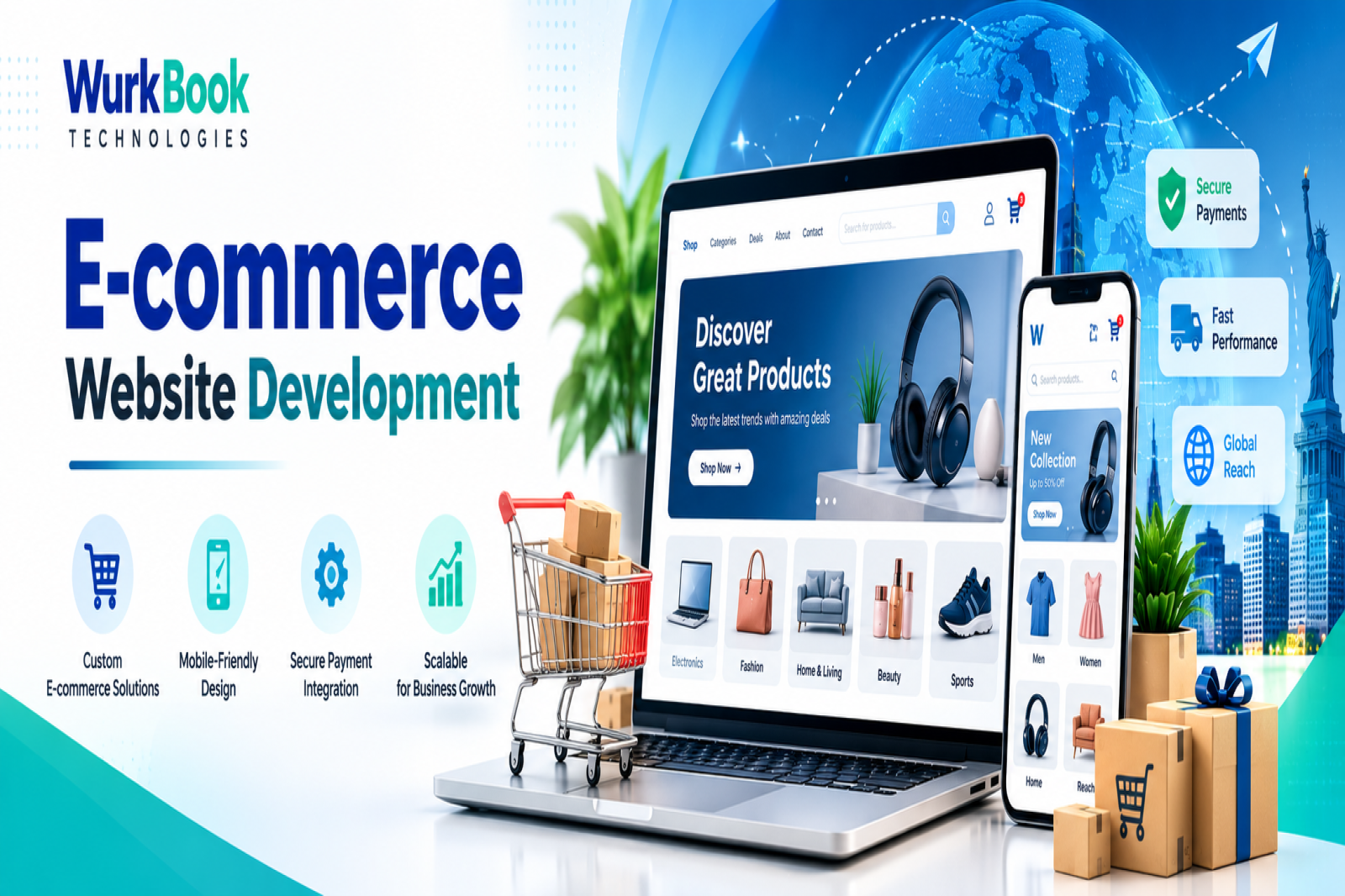
E-commerce Website Development in the USA: What US Business Owners Need to Know

If you run a business in the United States, you already know your customers don’t wait around. They search on their phones, compare three stores in five minutes, and buy from whoever makes it easiest. If your online store is slow, confusing, or doesn’t feel trustworthy, they’re gone.
That’s why e-commerce website development in the USA isn’t just about “having a website” anymore. It’s about building a store that fits how American shoppers actually behave, and that works within US payment, tax, and legal rules.
This guide walks you through it, step by step, in plain language.
What Is E-commerce Website Development?
E-commerce website development is the process of designing, building, and launching an online store where customers can browse products, add them to a cart, pay securely, and get their orders delivered.
But a good store is more than a catalog with a “Buy” button. It includes product management, payment gateways, shipping integration, tax handling, SEO, analytics, and a design that makes shopping feel effortless.
What American Shoppers Expect From an Online Store
Before you spend a dollar on development, it helps to understand your audience. US online shoppers generally expect:
- Fast shipping and clear delivery dates, with free shipping as a big motivator
- Easy returns, and a return policy they can find without searching
- Multiple payment options, including cards, PayPal, Apple Pay, Google Pay, and often “Buy Now, Pay Later” options
- A smooth mobile experience, since many purchases start and finish on a phone
- Honest reviews and clear product details, because they trust other customers more than ads
If your website delivers on these, you’re already ahead of many competitors.
Step 1: Pick a Platform That Fits Your Business
There’s no single best platform. Here’s how the popular ones compare for US businesses:
Shopify: Quick to launch, secure, and easy to manage. A strong choice for small and mid-size brands, especially if you don’t have an in-house tech team.
WooCommerce: Runs on WordPress and gives you more control and flexibility. Great if content and SEO are a big part of your strategy.
BigCommerce: Good built-in features for growing stores, with less dependence on plugins.
Magento / Adobe Commerce: Built for large catalogs and complex business needs, but needs a bigger development budget.
Custom development: The right call when you need special pricing, B2B workflows, subscriptions, or deep integration with your existing software.
A good development company will recommend what suits your goals, not just what’s easiest for them to build.
Step 2: Design for Trust and Simplicity
US customers are careful with their money and their data. Your design should quietly say, “You’re safe here.”
- Clean layout with easy navigation
- Professional product photos with zoom and multiple angles
- Clear pricing with no surprise fees at checkout
- Visible contact details, shipping policy, and returns policy
- Customer reviews on product pages
- Guest checkout, so people don’t have to create an account just to buy
Great design isn’t flashy. It removes the doubts that stop people from clicking “Place Order.”
Step 3: Payments and Security Done Right
Online payments in the USA come with expectations, and some requirements.
- HTTPS/SSL on every page
- PCI DSS compliance if you handle card payments
- Trusted gateways such as Stripe, PayPal, Square, or Authorize.net
- Fraud protection tools to reduce chargebacks
- Wallet payments like Apple Pay and Google Pay for faster mobile checkout
A one-click checkout that feels secure can noticeably lift your conversion rate.
Step 4: Understand US Sales Tax and Legal Basics
This is the part many new store owners underestimate.
Sales tax: There’s no single national sales tax in the USA. Rates and rules vary by state, and sometimes by city or county. Since the 2018 South Dakota v. Wayfair Supreme Court decision, many states can require online sellers to collect tax once they pass certain sales thresholds, even without a physical presence there. Tools like TaxJar or Avalara can automate calculation and filing.
Privacy laws: If you sell to California residents, CCPA/CPRA may apply. Several other states have their own privacy laws, so your site should have a clear privacy policy and a way to handle data requests.
Accessibility (ADA): Website accessibility lawsuits are a real risk for US businesses. Building your site to follow WCAG guidelines protects you and makes your store usable for everyone.
Step 5: Shipping and Fulfillment That Customers Love
Shipping is where many online stores win or lose. Your website should:
- Integrate with USPS, UPS, and FedEx for live rates and tracking
- Offer clear delivery estimates before checkout
- Support options like flat-rate shipping, free-shipping thresholds, and local pickup
- Connect to your warehouse or 3PL partner if you use one
When customers can see exactly when their order will arrive, they buy with more confidence.
Step 6: Build SEO In From the Start
A beautiful store is useless if nobody finds it. SEO should be part of development, not something you bolt on later.
- Logical site structure: categories, subcategories, and clean URLs
- Unique product titles and descriptions: don’t copy supplier text
- Schema markup: so Google can show price, availability, and ratings in search results
- Fast loading speed: good Core Web Vitals help both rankings and sales
- Mobile optimization: Google uses the mobile version of your site for ranking
- Helpful content: buying guides, comparisons, and FAQs that answer what your customers are searching for
- Local and regional targeting: if you serve specific states or cities, create pages that speak to those audiences
SEO is a long game, but a store built properly from day one keeps bringing in customers month after month.
Step 7: Plan for the Busy Seasons
In the USA, retail has a rhythm: Black Friday, Cyber Monday, the holiday season, back-to-school, and Prime-Day-style sales events. Your store should be ready before the rush, not during it.
- Test your site speed under heavy traffic
- Use scalable hosting so the site doesn’t crash during sales
- Prepare promo codes, banners, and email campaigns early
- Make sure inventory syncs correctly to avoid overselling
Launching or upgrading your store a few months before peak season gives you time to fix problems before they cost you sales.
Mistakes US Businesses Often Make
- Choosing a developer only because they’re the cheapest
- Adding too many plugins that slow the site down
- Ignoring mobile design
- Forgetting sales tax and compliance setup
- Launching without testing checkout on real devices
- Skipping analytics, so you can’t tell what’s working
- Treating launch day as the finish line
How to Choose the Right E-commerce Development Partner
Look for a team that:
- Shows real e-commerce projects, not just generic websites
- Understands US payments, taxes, and compliance
- Communicates clearly and gives honest timelines
- Offers post-launch support and maintenance
- Thinks about SEO and conversions, not only visuals
Wurkbook E-commerce Website Dashboard: Simplifying Online Store Management
A successful e-commerce business needs more than an attractive website. Business owners also need an organized way to manage purchases, sales, customer orders, expenses, offers, and business performance.
Wurkbook Technologies has developed a business management dashboard that brings important operational information together in one place. The dashboard provides a centralized interface for monitoring business transactions and accessing different management sections.
Key Features of the Wurkbook Business Dashboard
- Purchase and Sales Overview
The dashboard displays purchase and sales summaries, helping business owners review transaction figures and understand their business activity at a glance.
- Wallet and Expense Tracking
Dedicated wallet and expense sections help organize financial information and make it easier to review relevant transactions.
- Customer Management
The customer section provides access to customer-related records, supporting more organized business operations.
- Order Management
The order section helps businesses access and manage order-related information through the dashboard.
- Offers and Promotions
The offer management section supports the organization of promotional activities, helping businesses manage offers as part of their sales workflow.
- Enquiries and Notifications
Dedicated enquiry and to-do/notification sections provide a central place to access enquiries and operational reminders.
- Reports and Business Insights
The report section and purchase and sales review charts help users view business information in a structured format. These insights can support routine monitoring and business planning.
How a Centralized Dashboard Helps E-commerce Businesses
Managing an online store can involve multiple activities, from tracking transactions to handling customer enquiries and reviewing sales performance.
A centralized dashboard can help businesses:
- Access key business information from one interface.
- Review purchase and sales figures more conveniently.
- Organize customer and order-related activities.
- Keep track of expenses and wallet information.
- Access reports to support business decisions.
The exact benefits depend on the features enabled and how the dashboard is integrated with the online store's workflows.
Build Your E-commerce Solution with Wurkbook Technologies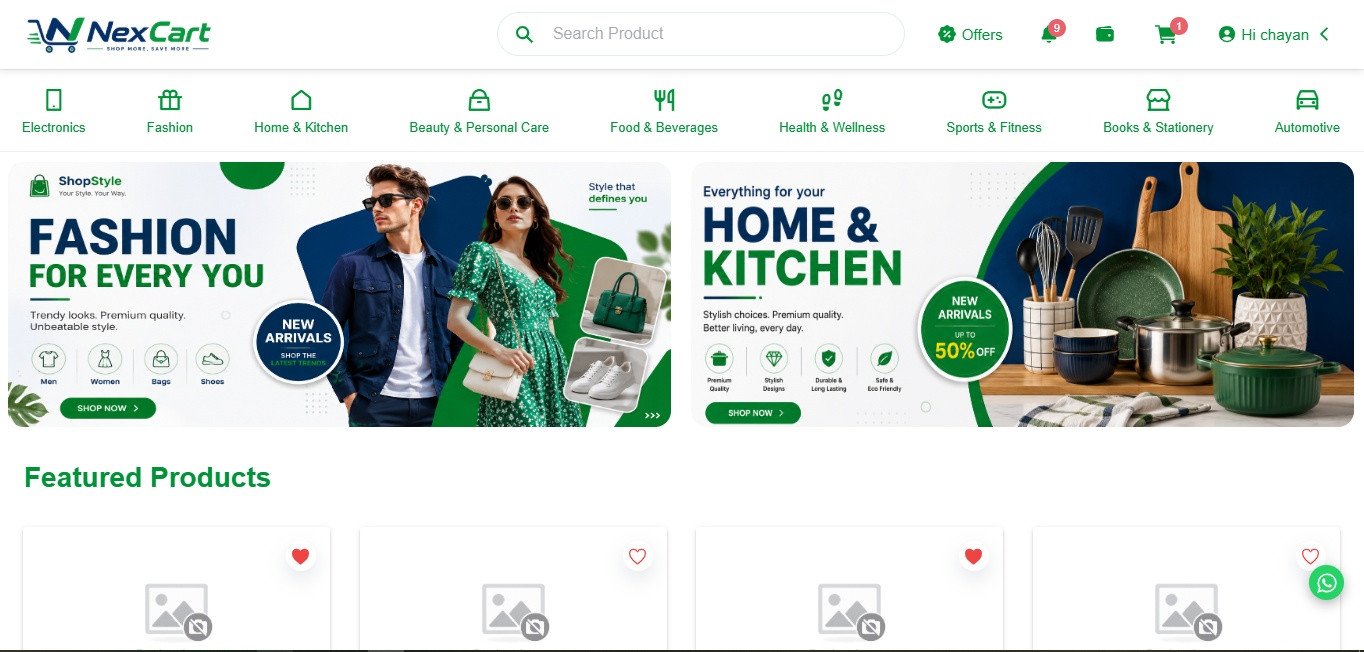
Every online business has different operational needs. Wurkbook Technologies provides website development and custom software development services to help businesses create digital solutions aligned with their requirements.
Whether you need a customer-facing e-commerce website, an administrative dashboard, order management functionality, or business reporting, our team can discuss an appropriate solution for your project.
Looking for e-commerce website development for your US business?
Contact Wurkbook Technologies to discuss your online store, required integrations, and business management features.
Wurkbook Technologies — Website Development and Custom Software Solutions for Growing Businesses.
🌐 www.wurkbook.com
📞 +91 9413526667
Why Businesses Choose Workbook Technologies
At Workbook Technologies, we build e-commerce websites that are fast, secure, and designed around how customers in the USA really shop. We handle everything from choosing the right platform and designing a clean user experience to setting up payments, shipping, SEO, and post-launch support.
We don’t believe in one-size-fits-all stores. We take time to understand your products, your customers, and your goals, and then build a store that helps you grow.
Thinking about launching or upgrading your online store? Get in touch with Workbook Technologies for a free consultation, and let’s map out the right plan for your business.
Frequently Asked Questions
How long does it take to develop an e-commerce website?
A simple store can be ready in a few weeks. Custom stores with advanced features and integrations can take a few months.
Which platform is best for a US e-commerce business?
It depends on your needs. Shopify suits quick launches, WooCommerce suits content-driven stores, and custom development suits unique workflows.
Can you help with SEO after launch?
Yes. A good development partner can support ongoing SEO, speed optimization, and content planning.
Can my store accept Apple Pay, PayPal, and Buy Now, Pay Later?
Yes, these can be integrated with most major platforms and are popular with US shoppers.

POST COMMENT
For post a new comment. You need to login first. Login
COMMENTS(0)
No Comment yet. Be the first